Gaming setups attract attention for all the same reasons pets do. They bring energy into a room, claim their own territory, and demand a little daily care. The problem starts when those two worlds overlap. A curious cat sees a warm console and decides it makes the perfect nap spot. A puppy spots a dangling headset cable and treats it like a new chew toy. Even calm pets can leave behind fur, scratches, nose prints, and accidental messes that put expensive equipment at risk.
Gaming technology often lives out in the open. Consoles sit on media stands, controllers stay on coffee tables, and desktop towers glow with lights that draw attention from across the room. That kind of setup looks great until a pet decides to inspect every inch of it. One playful moment can lead to a damaged port, an overheated system, or a controller that no longer works the way it should.
With a little planning, you can keep your gaming equipment safer, your pets more comfortable, and your room a lot less stressful to manage. To start, it helps to understand exactly what draws animals to your gaming setup and how their natural behaviors shape your environment. Here’s how to protect your gaming technology from pets.
Know What Attracts Them
Pets don’ target gaming equipment out of spite. They react to movement, heat, texture, sound, and scent. A cat may climb onto a keyboard because it sits in the center of your attention and feels warm under the paws. A dog may grab a controller because it carries your scent and rests within easy reach. Rabbits and other small pets often chew cords because that behavior comes naturally.
Understanding what attracts your pet lets you address issues easily. Flashing lights catch the eye, loose wires invite chewing, and soft cushions draw pets near fragile gear. A warm console shelf may become a favorite resting place.
This awareness shapes your setup. Instead of reacting to damage, start eliminating temptations before issues arise, making every protection step more effective.
Control the Cables
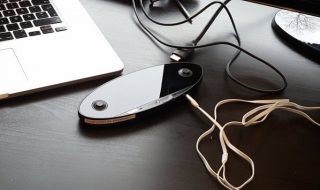
Cables cause some of the biggest problems in pet-friendly gaming spaces. They dangle, trail across floors, and move just enough to tempt a playful swipe or bite. A single chewed power cord can damage your equipment and put your pet in danger.
Start by routing cables behind furniture whenever possible. Keep them off the floor and out of open sight lines. Use cable sleeves, cord covers, and clips to reduce movement and hide attractive textures. Secure power strips high on walls or tables where pets can’t reach. A cleaner cable setup also makes your gaming area look more organized, which helps in more ways than one.
Pay close attention when you notice a frayed cable. Do not keep using it and hope for the best. Replace it right away. Damaged cords create safety issues for both your electronics and your pet. Even minor wear can get worse fast in a room where an animal already sees wires as toys.
When you keep cords neat and close to the equipment, you limit access and reduce the chance of tugging, chewing, or accidental unplugging. Building on cable safety, another way to outsmart daily risks is to elevate your most important gear.
Raise What You Can

Floor-level setups often invite the most trouble. Pets can reach them easily, brush against them while playing, or settle down right beside vents and cords. Raising key items creates distance and gives you more control over the space.
Place consoles on sturdy shelves rather than directly on the floor. Keep desktop towers on elevated stands or secure desks if airflow allows. Store controllers, handheld systems, and charging docks above tail height and away from edges where they can get knocked down.
Height alone will not solve every problem, especially with cats that love to climb. Even so, using shelves, stands, and barriers helps you create deliberate zones. Arrange equipment in areas pets can’t reach during normal movement, and secure elevated spots to prevent easy climbing.
Choose furniture that feels solid and can handle a little unexpected contact. Once your equipment is raised and secured, the next consideration is protecting vents and surfaces from fur and grime.
Protect Vents and Surfaces
Pet hair travels everywhere. It settles under desks, collects around consoles, and drifts into vents before you even notice it. Over time, that buildup can interfere with airflow and make your systems run hotter than they should.
Regular cleaning matters if you share your home with pets. Dusting the surface of a console helps, but it should not stop there. Check intake areas, wipe down shelves, and vacuum nearby floors often. If your gaming PC sits in a room with heavy shedding, inspect it on a regular schedule rather than waiting for a performance issue.
Surface protection matters too. Use hard cases for consoles and covers for controllers to prevent scratches or grime buildup. Wipe surfaces regularly to avoid paw prints and drool from causing lasting damage. These protective items reduce day-to-day wear without adding much effort to your routine.
The more you limit direct contact between your pet and your devices, the longer your setup stays in good shape. Clean surroundings also make it easier to spot small issues before they become larger ones. However, minimizing risk goes hand-in-hand with encouraging your pets to focus somewhere else.
Create a Pet-Safe Zone Nearby
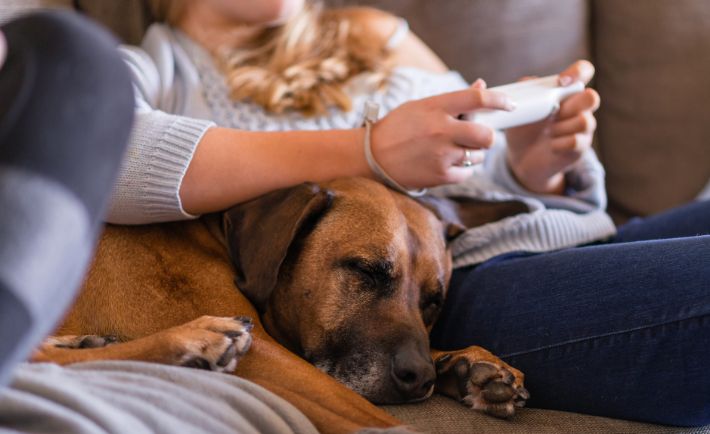
One of the easiest ways to protect gaming technology involves giving your pet a better option. Animals often settle near people because they want comfort, warmth, or attention. If your setup offers the only appealing place to rest, your pet will keep choosing it.
Create a comfortable spot near your gaming area that belongs to your pet. A soft bed beside the desk, a perch near the window, or a favorite blanket in the same room can redirect attention away from your gear. Cats often respond well to elevated lounging spaces. Dogs may prefer a cushioned area where they can stay close without sitting underfoot.
This strategy works best when the spot feels intentional. Use a designated pet bed, perch, or blanket that rivals your gaming spot’s comfort. Place toys or scratch pads nearby to enhance the appeal and keep your pet focused away from your gear. Make the alternative comfortable enough to compete.
Over time, your pet may begin to associate your play sessions with settling down nearby instead of climbing onto your lap or nosing around the hardware. With pet-friendly spaces in place, it is also important to consider how and where you store small accessories.
Store Small Accessories
Small gaming accessories disappear fast in homes with pets. Thumb grips, earbuds, charging adapters, memory cards, and game cartridges can slip off tables or get batted under furniture. Some pets may chew or swallow tiny items, which creates a serious health risk.
Get in the habit of putting accessories away the moment you finish using them. Drawers, lidded storage bins, and desktop organizers all make this easier. The goal is to reduce casual exposure. A controller placed neatly in a dock stays much safer than one tossed onto a couch cushion next to a curious dog.
Headsets need special attention. Many pets find ear cups and padded headbands irresistible because they carry scent and feel soft under the teeth. Hang your headset on a stand or store it in a cabinet when not in use. That single habit can save you from replacing an expensive accessory far earlier than expected.
You spend less time searching for gear and create fewer opportunities for your pet to claim something as a toy. Just as important as keeping items out of reach is teaching your pet clear boundaries around your gaming equipment.
Set Boundaries Early
Training plays a major role in protecting your gaming setup. Physical barriers help, but clear habits matter just as much. Pets learn through repetition, and they pay close attention to what gets a reaction.
If your cat jumps onto the desk every time you play, respond the same way each time. Gently remove the cat, redirect attention, and reinforce a better place to settle. If your dog grabs cables during active play, interrupt the behavior and shift focus to an appropriate toy. Consistency matters more than intensity.
You can also use simple environmental boundaries. Close the door when you need a focused session. Use furniture placement to block access to the back of your desk. Place delicate items farther from the edge where paws tend to land. These choices support training and reduce temptation.
Clear limits, repeated often, can turn a chaotic room into a much calmer one. Even with training and boundaries, it is still wise to plan for the occasional accident.
Prepare for Accidents
Even well-behaved pets can act silly. A cat may knock over a drink. A dog may leap up when the doorbell rings and send a controller flying. Planning for accidents helps you reduce damage when something unexpected happens.
Keep drinks away from electronics or use containers with secure lids. Avoid stacking devices in unstable ways. Use surge protectors and place them where paws and noses cannot reach them easily. Back up saved data so a damaged system does not take your progress with it.
Think about emergency cleanup, too. Place soft cloths within reach for quick spill response. Make sure you know in advance how to shut down equipment safely in case a mess happens. The faster you respond, the better your chances of limiting the damage.
Preparedness gives you confidence. You can enjoy your gaming time more when you know one surprise moment will not ruin your whole setup.
Keep the Room Balanced
A pet-friendly gaming space works best when it feels comfortable for everyone in it. If the room gives your pet no place to relax, no toys to focus on, and no boundaries to follow, your equipment will remain the most interesting thing around.
Balance comes from a mix of smart storage, regular cleaning, stable furniture, and realistic expectations. Pets explore. They shed. They climb, nap, sniff, and occasionally cause trouble. That does not mean you need to live in constant conflict with them or keep your gear packed away. Protecting your gaming technology from pets starts with understanding how they interact with your space. Once you adjust the setup to fit real behavior, the room becomes easier to manage. Your devices stay cleaner, safer, and more reliable. Your pets stay comfortable and less likely to get into something dangerous. With the right habits in place, you can enjoy both your gaming time and your animals without feeling like you have to choose between them.