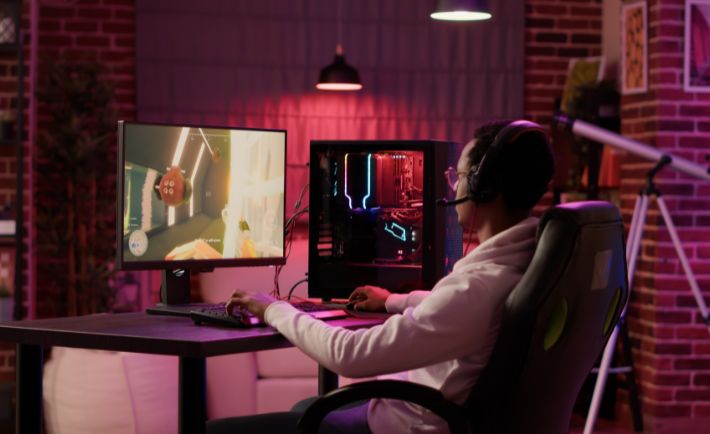
A well-designed gaming setup supports comfort, focus, and steady performance across extended sessions. Many players overlook posture and equipment placement until discomfort begins to affect control and enjoyment. Carpal tunnel syndrome occurs when pressure on the median nerve within the wrist leads to pain and weakness in the hand.
With these tips to prevent carpal tunnel with the right gaming setup, you can reduce strain through proper alignment and equipment placement. Each element of a setup influences how muscles and tendons respond during repeated movement. With consistent attention and small changes, you can maintain comfort and protect overall hand health.
Optimize Desk Height for Neutral Wrist Position
A desk set at the proper height keeps wrists straight and forearms level with input devices during extended sessions. This alignment reduces strain on tendons and nerves that pass through narrow structures near the wrist joint. Consistent height control also supports better posture across shoulders, neck, and upper back.
An adjustable desk allows fine control that matches body proportions and chair position for each user. When forearms rest parallel to the surface, pressure decreases and movement becomes more efficient and controlled. Small changes in height can produce meaningful relief across long play sessions.
Choose an Ergonomic Keyboard Layout
A keyboard with a split or curved design can align hands with natural angles and reduce inward wrist deviation. This setup supports relaxed muscle use and limits repetitive stress that builds during fast input sequences. Key spacing and tilt also influence comfort and control across different game genres.
Mechanical switches with light actuation can reduce the force needed for each press and limit fatigue over time. A wrist rest can support neutral alignment when placed at the correct height relative to the keyboard surface. Thoughtful selection here can improve comfort and response accuracy.
Select a Mouse That Fits Hand Size
A mouse that matches hand dimensions allows a natural grip without excessive tension across fingers and palm. Proper fit reduces strain on tendons that control fine movements during precise gameplay actions. Shape and contour also influence how the wrist moves across the surface.
Vertical or angled mice can reduce pronation and support a more neutral wrist posture during extended use. Adjustable sensitivity settings allow lower physical movement for the same cursor response, reducing repetitive motion. A smooth glide surface further decreases the effort required for control.
Maintain Proper Chair Support and Armrest Height
A chair with lumbar support helps maintain spinal alignment and reduces compensatory strain across the shoulders and arms. Armrests set at the correct height support elbows and limit pressure that travels down toward the wrists. Balanced support allows a relaxed posture without collapse or overextension.
Learning the signs that you must adjust your chair armrests will help prevent uneven pressure that can lead to nerve compression and discomfort. Armrests should allow elbows to rest at about ninety degrees without lifting shoulders or forcing wrists downward. Subtle adjustments can greatly improve comfort during long sessions.
Position Monitor at Eye Level
A monitor set at eye level reduces neck strain and prevents forward head posture that can affect arm position. Proper alignment allows shoulders to remain relaxed and arms to move freely without tension. Visual comfort also supports sustained focus and reduces fatigue.
The distance from the screen should allow clear visibility without leaning forward or squinting during gameplay. Multiple monitor setups should maintain consistent height and angle to avoid uneven posture shifts. A stable visual field contributes to overall ergonomic balance.
Use a Supportive Wrist Rest
A wrist rest can provide gentle support that keeps wrists aligned with input devices during periods of rest. It should not elevate wrists too high, as this can increase pressure on sensitive structures. Proper placement allows hands to move freely without obstruction.
Soft yet firm materials distribute pressure evenly and prevent localized strain during extended use. A rest that matches keyboard or mouse height ensures smooth transitions between movement and rest. This accessory can complement other ergonomic adjustments effectively.
Adjust Sensitivity Settings to Reduce Strain
High sensitivity settings allow smaller physical movements to achieve desired in-game actions, reducing repetitive motion across the wrist. This adjustment can limit fatigue during fast gameplay that demands precision. Fine-tuning sensitivity also improves control and response.
Balancing sensitivity with accuracy ensures that reduced movement does not compromise performance or consistency. Each player may require different settings based on play style and device type. Regular evaluation helps maintain optimal comfort and efficiency.
Take Regular Breaks to Relieve Pressure
One of the most important tips to prevent carpal tunnel from gaming is to take short breaks that allow muscles and tendons to recover from repetitive use. Stretching during breaks can improve circulation and maintain flexibility in key muscle groups. Consistent pauses support long-term comfort and minimize the risk of future muscular problems.
Setting reminders can help maintain a routine that prevents excessive continuous strain during intense sessions. Even brief pauses can provide meaningful relief and reset posture. Habit formation plays a key role in injury prevention.
Keep Hands Warm and Relaxed
Warm muscles function more efficiently and are less prone to strain during rapid or repetitive movements. Maintaining a comfortable room temperature supports hand flexibility and reduces stiffness. Relaxation techniques can also help reduce unnecessary tension.
Gentle hand exercises before sessions can prepare muscles for activity and improve the range of motion. Avoid excessive grip force on devices, as this can increase strain over time. Awareness of tension helps maintain healthier movement patterns.
Organize Cable and Device Placement
A clean setup with well-managed cables allows unobstructed movement and prevents awkward wrist angles during gameplay. Devices placed within easy reach reduce overextension and unnecessary strain. Thoughtful layout supports smooth transitions between actions.
Consistency in placement helps develop muscle memory and reduces repetitive adjustments that can lead to discomfort. A stable environment allows focus on performance without distraction from physical strain. Small organizational changes can produce significant ergonomic benefits.
Preventing carpal tunnel syndrome requires attention to detail, consistent habits, and a willingness to adjust setup elements for better alignment. Each component, from desk height to input devices, helps maintain a neutral posture and reduce strain. Through careful consideration and regular evaluation, you can create an environment that supports performance and health.
A balanced setup improves comfort but also enhances control, focus, and endurance during extended sessions. Small adjustments made with intention can prevent discomfort and protect long-term well-being. With a proactive approach, you can enjoy gaming without unnecessary physical strain.